Is It Safe to Download Arial Narrow From Free Font Sites?
Last reviewed by the ArialNarrow.com editorial team
Short answer
The file itself is usually harmless, but the license isn't there. Free sites that offer Arial Narrow rarely have Monotype's permission, so you can't safely use the font for client or commercial work. Some sites also wrap the download in installers that carry adware. The safe routes are Microsoft Office, a paid license, or the free Liberation Sans Narrow.
The two risks, in plain terms
Legal risk. Monotype owns Arial Narrow and only lets Microsoft and its own stores hand it out. A free download site is redistributing it without that permission. If you then use the font in a logo, a client report or a product, you're building on something nobody licensed. That matters most in agency and commercial work, where clients and foundries do check.
Security risk. Plain font files are low-risk. The trouble is everything around them: pop-ups, fake buttons, bundled "installers" and ZIP files that contain more than they claim. That's where the adware and worse comes from.
Red flags to watch for
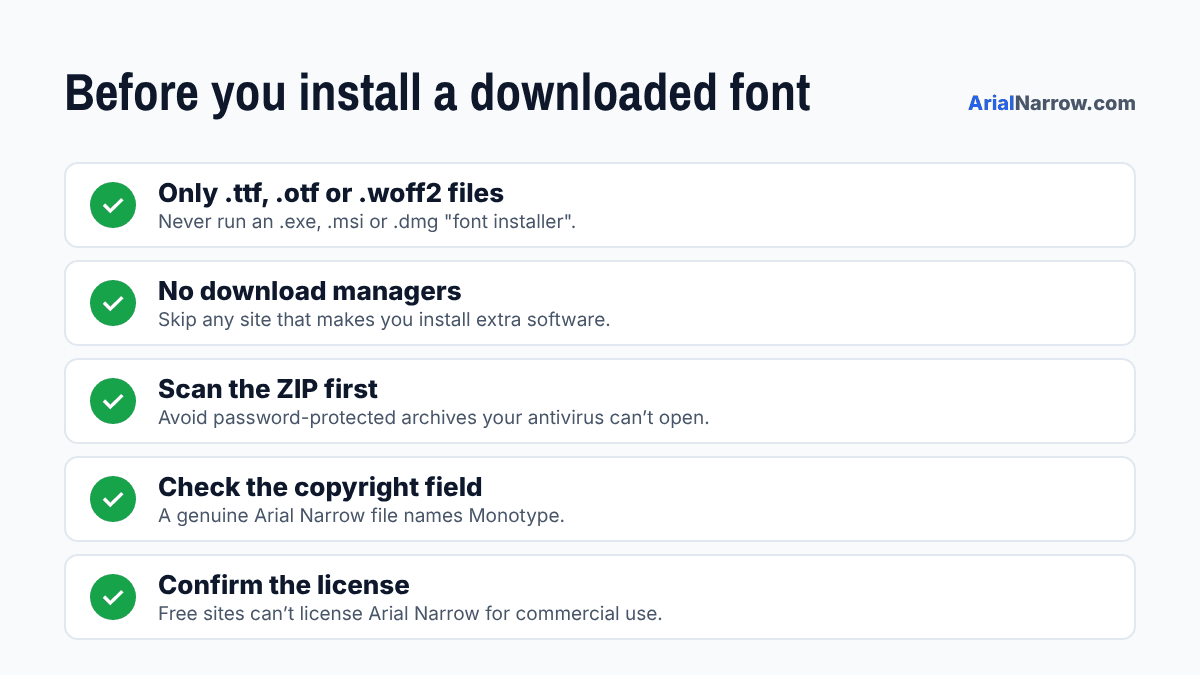
The download is an .exe, .msi, .dmg or .scr file
Fonts are .ttf, .otf or .woff2. Anything that installs itself is a program, not a font.
You have to install a "download manager" first
These bundles often slip adware or browser hijackers onto your machine.
The ZIP is password-protected
Antivirus software can’t scan inside it, which is exactly why attackers do it.
The page is covered in fake "Download" buttons
The big green button is often an ad. The real link is small and plain.
The site says Arial Narrow is "100% free for commercial use"
It isn’t. A site that gets the license wrong probably cut other corners too.
Already downloaded a copy? Check it
- Look at the file extension. Delete anything that isn't .ttf, .otf or .woff2.
- Right-click the file and scan it with Windows Security or your antivirus before you open it.
- Open its properties and check the copyright. You should see Monotype.
- Install it and type a few accented letters, like é, ñ and ł. Missing glyphs mean someone stripped the file down.
- If anything looks off, uninstall it and use one of the safe options below.
Safe ways to get it
- Already have Office? You already have Arial Narrow. Our install guide shows where to find it.
- Need it for a website or app? Buy the right license. Our buying guide compares the options.
- Want something free? Grab Liberation Sans Narrow or a font from one of these legal free font sites.
Transparency note: our install guide includes one labelled partner link to a third-party download page. Everything on this page applies to it too.
Frequently Asked Questions
Is it illegal to download Arial Narrow for free?
Sharing it is the clear violation, and that falls on the site handing it out. Using an unlicensed copy for commercial work still puts you at risk, though, because your client’s work rests on a font nobody licensed. Personal use rarely draws attention, but it isn’t covered by any license either.
Can a font file contain a virus?
A plain .ttf or .otf file is very unlikely to harm you on an up-to-date system. Fonts have carried exploits in the past, but those flaws were patched long ago. The real danger comes from files that only pretend to be fonts, such as installers and scripts.
How can I tell if my Arial Narrow file is genuine?
Open it in Font Book on a Mac, or right-click > Properties > Details on Windows. A genuine file lists Monotype in the copyright or vendor field and shows a version number. Missing or garbled details point to an edited or repackaged copy.
What is the safest free option?
Liberation Sans Narrow. It’s open source, matches Arial Narrow’s widths exactly, and comes from the official Liberation project on GitHub, so you know the file hasn’t been tampered with.